Resource graph tab
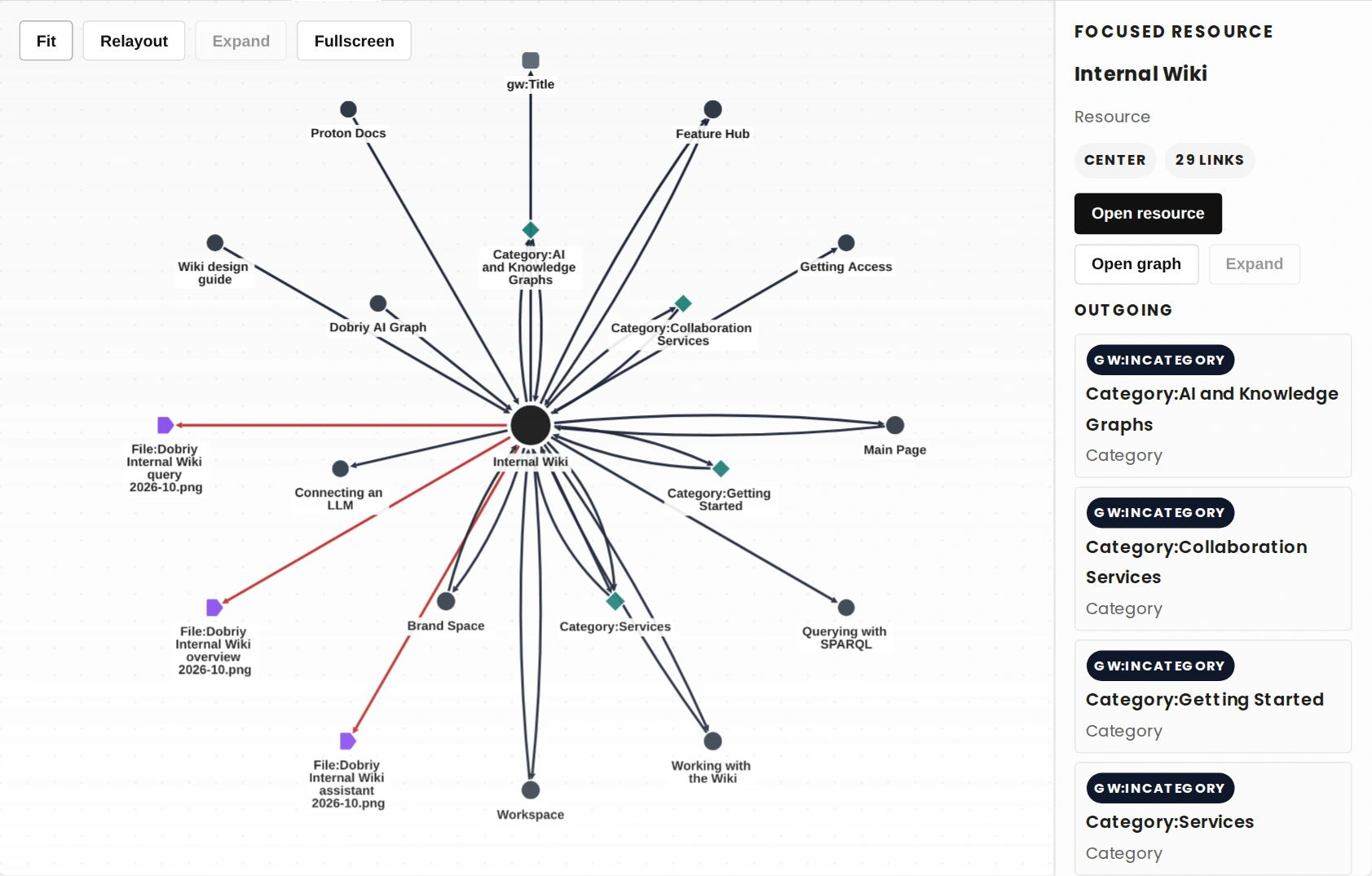
Open a resource’s Graph tab to see its connected neighbourhood within the wiki.
See the connections. Explore the context.
GraphWiki Graph turns resources and their relationships into an interactive view inside MediaWiki. Follow a node, inspect its relations, and move between the graph and the wiki page behind it.
Open a resource’s Graph tab to see its connected neighbourhood within the wiki.
Inspect relation types and follow resource links through a readable companion panel.
Expand supported nodes to reveal more of their context while keeping the view bounded.
Project suitable resource-valued SELECT results into a graph alongside the table of results.
Follow local nodes to their graph views, open the corresponding description, and return with browser history.
Fit the graph, change its layout, or use supported fullscreen controls. Reduced-motion preferences are respected.
Start with a working GraphWiki triplestore connection. This extension reuses that connection and does not need separate graph credentials.
Clone the canonical source into extensions/GraphWikiGraph using your GitLab access.
git clone https://git.dobriy.ai/semantic/graphwiki-graph.git extensions/GraphWikiGraphAdd this line after the existing GraphWiki load statement in LocalSettings.php.
wfLoadExtension( 'GraphWikiGraph' );Open an existing resource and select its Graph tab. Inspect a relation, navigate to a neighbour, and try Fit. This extension does not require a separate database migration.